

November 17, 2026 •Network Solutions
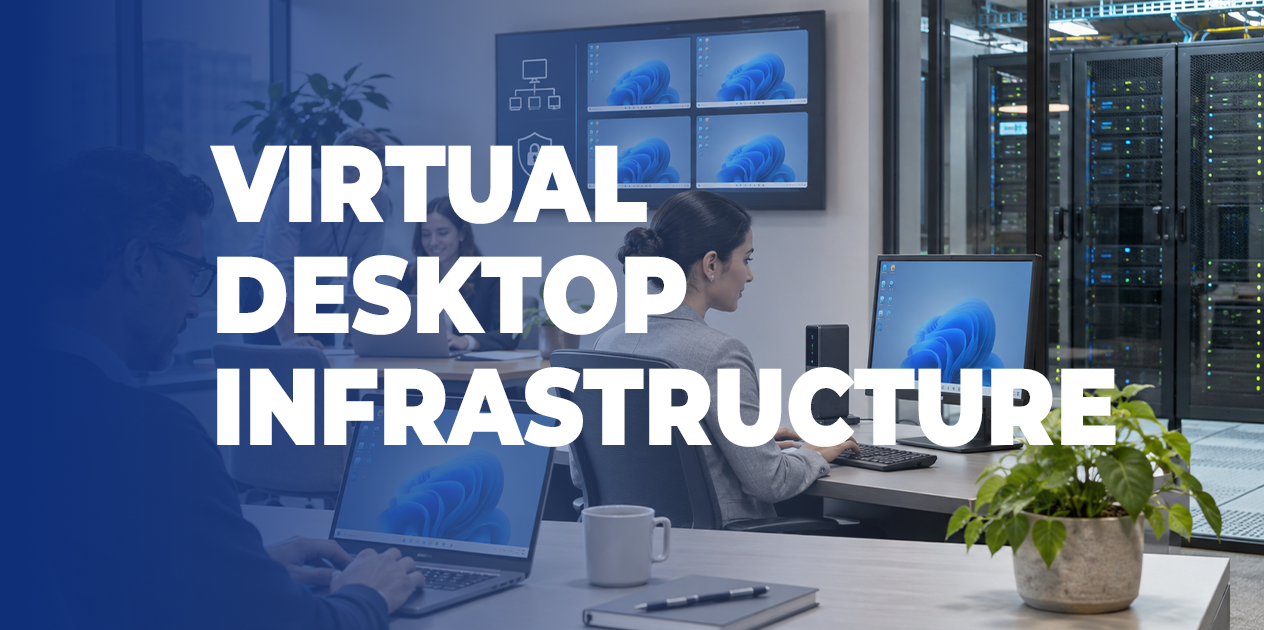
For most organizations, the desktop computer has become something we rarely question. Employees receive a laptop or workstation, IT installs the necessary applications, and the machine becomes the center of that person's working environment.
It's a familiar arrangement, and for many employees, it works perfectly well.
But consider what happens when an organization needs to support hundreds of employees across multiple facilities, provide temporary access to contractors, or maintain tightly controlled environments for sensitive information. Suddenly, managing individual computers becomes a much larger responsibility.
Every device needs updates, security policies, application access, troubleshooting, and eventually replacement. Each new employee requires configuration. Every departing employee introduces another set of access and data management considerations.
Virtual Desktop Infrastructure (VDI) offers organizations a different way to manage that responsibility.
And with modern computing platforms, evolving cybersecurity requirements, and increasingly distributed workforces, VDI deserves another look.
Virtual Desktop Infrastructure is a technology that allows a user's desktop operating system, applications, and computing resources to run in a centralized environment rather than directly on their physical computer.
Instead of performing all processing on a laptop or workstation, the employee connects to a virtual desktop hosted in a data center or cloud environment.
The user's local device primarily serves as the interface to that desktop, transmitting input and displaying the remote session.
From the employee's perspective, the experience can feel familiar. They open applications, access files, and work much as they would on a conventional computer.
Behind the scenes, however, IT has far greater control over how the desktop is configured, maintained, and secured.
Virtual desktops can also be configured differently depending on the user. Some employees require persistent desktops that retain individual settings and installed applications. Others can use standardized, nonpersistent desktops that are recreated or reset between sessions.
That flexibility makes VDI particularly interesting for organizations with diverse operating requirements.
The strongest argument for VDI usually comes from the way an organization operates.
Consider a healthcare facility where employees move between workstations throughout the day. A clinician may need access to the same applications and information from several locations.
Or consider a financial institution with multiple branches, each requiring consistent access to specialized business software.
In these environments, a centrally managed desktop can simplify the process of delivering consistent applications and policies to users.
There are several scenarios where VDI deserves serious consideration.
Healthcare facilities, manufacturing operations, educational institutions, and contact centers may have many people using shared computers.
A virtual desktop environment can make it easier to standardize applications, control user sessions, and maintain consistent configurations across those shared devices.
Organizations that regularly onboard contractors, temporary staff, or seasonal workers often spend considerable time preparing and recovering equipment.
With VDI, IT can provision access to an approved desktop environment without building a completely new physical workstation for every short-term assignment.
Access can also be revoked centrally when an assignment ends, although proper identity management and data protection controls remain necessary.
Some organizations rely on applications that are difficult to deploy, update, or maintain on hundreds of individual endpoints.
Centralizing those applications in a virtual desktop environment can simplify version management and reduce differences between user configurations.
Financial services, healthcare, government, and other regulated industries may benefit from keeping application processing and primary data storage within controlled infrastructure.
VDI can help limit where sensitive data is stored, especially when paired with appropriately configured session restrictions.
However, centralization alone does not ensure security or regulatory compliance. Authentication, endpoint protection, access policies, logging, and controls on data transfer still matter.
For years, one of the central questions surrounding VDI was whether the investment could justify itself.
Building a virtual desktop environment requires computing resources, storage, networking, software licensing, and ongoing administration.
For a small organization with straightforward computing requirements, maintaining conventional laptops may remain the most economical approach.
At larger scales, however, the calculation becomes more interesting.
A 2023 Cisco blog examining on-premises and cloud-hosted VDI cited research from Intersect360 comparing a hypothetical 2,500-desktop deployment in public cloud infrastructure with a Cisco-based on-premises alternative.
In that modeled scenario, the on-premises deployment showed approximately $2 million in savings over three years.
That figure is specific to the study's assumptions, rather than a savings estimate every organization should expect. Actual costs depend on desktop requirements, usage patterns, licensing, administration, infrastructure investments, and other variables.
Nevertheless, the comparison highlights an important point.
Where an organization runs its virtual desktops can be just as important as whether it deploys VDI in the first place.
Cloud environments can offer flexible capacity and reduce the need for an organization to own and maintain the underlying physical infrastructure.
This can be attractive for businesses with fluctuating workloads or limited data center resources.
However, recurring compute, storage, licensing, and network costs must be evaluated carefully. Resources that remain provisioned unnecessarily can become an expensive long-term commitment.
An on-premises deployment gives organizations greater control over their infrastructure, capacity planning, and certain aspects of data residency.
For large environments with stable, predictable demand, the economics may favor owned infrastructure over time.
The tradeoff is that the organization remains responsible for the physical platform, its availability, lifecycle, and capacity.
Some organizations may benefit from keeping their primary virtual desktop environment on-premises while using cloud resources for specific workloads or capacity requirements.
This approach can provide flexibility, but it also introduces additional integration, networking, security, and management considerations.
The best deployment model depends on the organization's actual requirements and financial assumptions.
A virtual desktop is only as dependable as the infrastructure supporting it.
Hundreds or thousands of desktops sharing centralized resources create demands that individual physical PCs distribute across an organization.
If storage becomes congested, users may experience delays opening applications. If compute resources are exhausted, overall responsiveness can suffer. Network latency or interrupted connectivity may prevent employees from accessing their desktops altogether.
Successful VDI therefore depends on a carefully designed combination of compute, storage, networking, and management.
Cisco has spent years developing infrastructure architectures for these environments, particularly through its Unified Computing System (UCS) portfolio.
In May 2026, Cisco published an updated FlexPod Datacenter VDI Validated Design, describing a tested architecture for Citrix virtual desktops and applications.
The design combines Cisco UCS X-Series computing, Cisco Nexus networking, NetApp storage, and Cisco Intersight infrastructure management.
It provides a documented architecture for a specific large-scale deployment, rather than a one-size-fits-all configuration.
Cisco Intersight also provides centralized infrastructure management capabilities that can help IT teams handle hardware configuration and lifecycle operations across supported Cisco compute environments.
These tools allow organizations to approach virtual desktop infrastructure as a coordinated system, with the computing and networking resources designed around the applications and users they need to support.
One longstanding concern with VDI involves applications that demand significant processing or graphics performance.
Engineers using computer-aided design software, analysts working with large datasets, and creative professionals working with graphics-intensive applications have different requirements from employees using email, spreadsheets, or routine business systems.
For these users, a basic virtual desktop configuration may deliver an unacceptable experience.
Modern virtual desktop architectures can incorporate graphics processing units (GPUs), allocating accelerated computing resources to virtual machines.
Cisco has documented GPU-enabled VDI architectures using UCS X-Series systems and Intel Data Center GPU technology.
In a Cisco technical discussion of GPU-accelerated VDI, the company describes how modular computing platforms can support more demanding virtual workstation environments.
This expands the range of applications VDI can potentially support.
But it also reinforces why proper planning matters.
GPU resources, storage performance, network latency, multimedia redirection, and application compatibility can substantially affect the experience. Some specialized applications may continue to perform better on dedicated workstations.
As useful as centralized desktops can be, they aren't appropriate for every organization or employee.
An employee who travels frequently, works with unreliable internet connectivity, or requires substantial offline computing capability may be better served by a traditional laptop.
A business whose applications are already delivered securely through the browser may not need to virtualize an entire desktop simply to provide access.
In fact, Cisco's security portfolio reflects this changing landscape.
In a June 2026 Cisco blog about Secure Access and enterprise browser integration, Cisco discusses alternative approaches for providing controlled access to private applications from managed and unmanaged devices.
These solutions can be especially relevant when users only need access to a limited set of applications, rather than a complete Windows desktop environment.
There is also an operational consideration.
Centralization creates shared dependencies. If the infrastructure hosting virtual desktops becomes unavailable, the impact can extend across many employees at once.
Redundancy, disaster recovery, network resilience, and capacity management therefore become essential parts of the design.
For some organizations, the benefits of VDI will outweigh these responsibilities. Others may achieve their objectives more efficiently with conventional endpoints, cloud applications, or secure browser-based access.
Before purchasing infrastructure or selecting a virtual desktop platform, an organization should understand how its people actually use their computers.
A useful assessment begins with several questions:
A pilot deployment involving a representative group of employees can help answer these questions before the organization makes a larger commitment.
That pilot should include both routine users and employees with more demanding applications. It should also test peak usage, video meetings, printing, peripheral access, and recovery from connectivity interruptions.
The objective is to understand the real user experience and the operational effort required to maintain it.
For decades, the personal computer has been the default place where employees' applications and computing resources live.
That model will continue to serve many organizations well.
But the modern workplace is becoming increasingly varied. Some employees need powerful local hardware. Others need access to a single secure application. Some work across multiple locations, while others share workstations or require tightly controlled computing environments.
A well-designed IT strategy can accommodate these differences.
Virtual Desktop Infrastructure remains a valuable option when centralized management, consistent computing environments, and controlled access provide meaningful business advantages.
And as Cisco continues developing its computing, networking, and management technologies, organizations have additional architectural options for supporting these environments.
At Network Solutions, we work with businesses to evaluate their infrastructure, understand operational requirements, and design Cisco-based solutions that support long-term business objectives.
Whether you're considering a virtual desktop environment, modernizing existing data center infrastructure, or evaluating where workloads should operate, the right starting point is understanding what your organization actually needs.
Ready to evaluate your desktop and data center strategy?
Explore NSI's Cloud & AI Infrastructure Solutions, or contact the Network Solutions team to discuss your environment and the next steps toward a practical infrastructure strategy.